
Bind lifecycle management templates to security groups
On the Hosted Pro license, you can bind a template to a Microsoft Entra ID security group. Adding a user to that group enables them for Teams and applies the template's policies and telephony settings automatically. The template must already exist; see Create a lifecycle management template.
To bind a template to a security group:
-
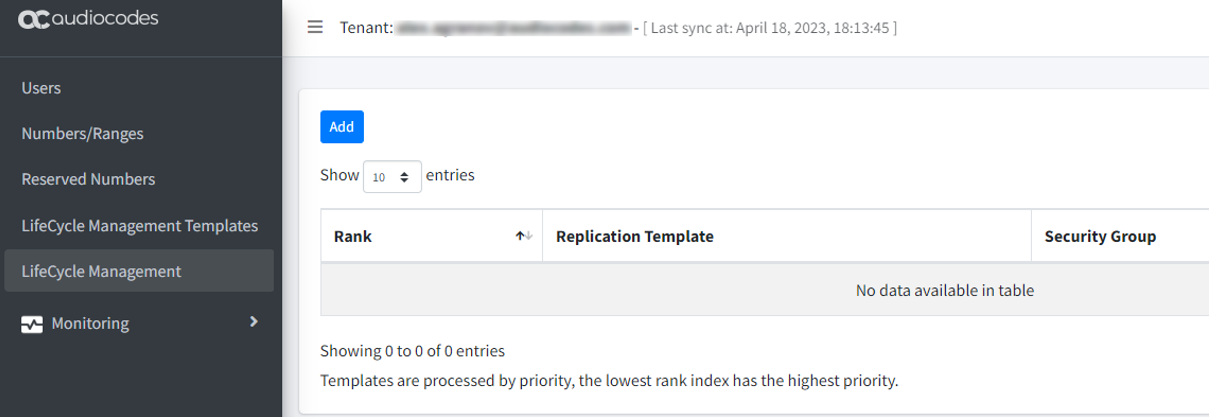
In the Teams Management portal, select Lifecycle Management Templates.
-
Click Add.
-
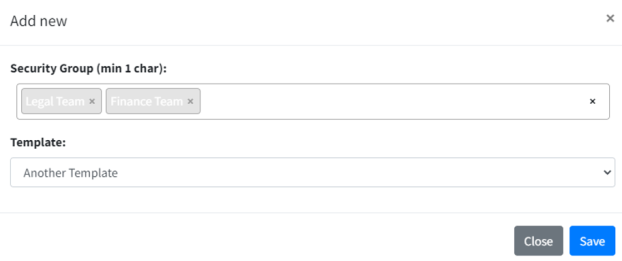
In the 'Security Group' field, enter the group name.
-
From the 'Template' drop-down list, select the template.
-
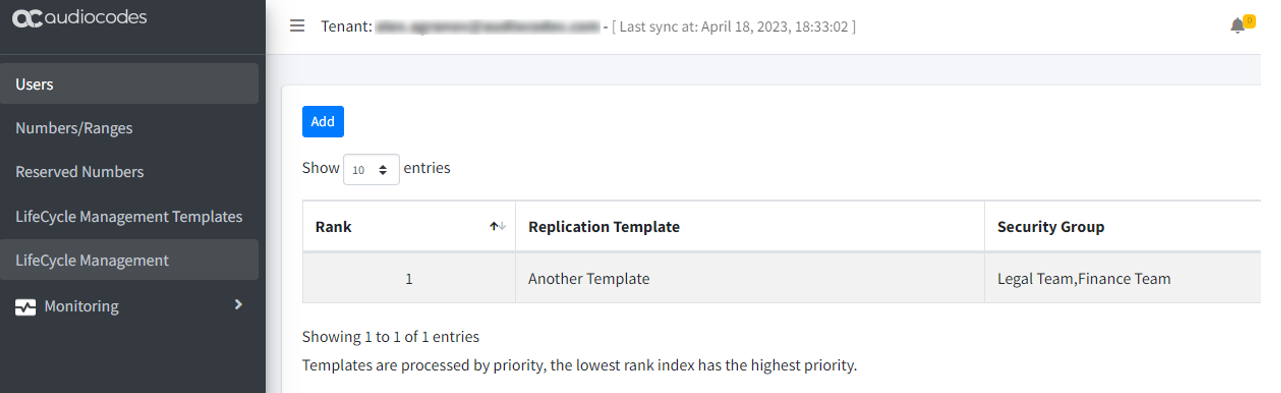
Click Save.
-
If you define more than one binding, use the up and down arrows in the Rank column to set which one applies first.